By CoryW
Sony MZ-R700: MiniDisc in an MP3 World
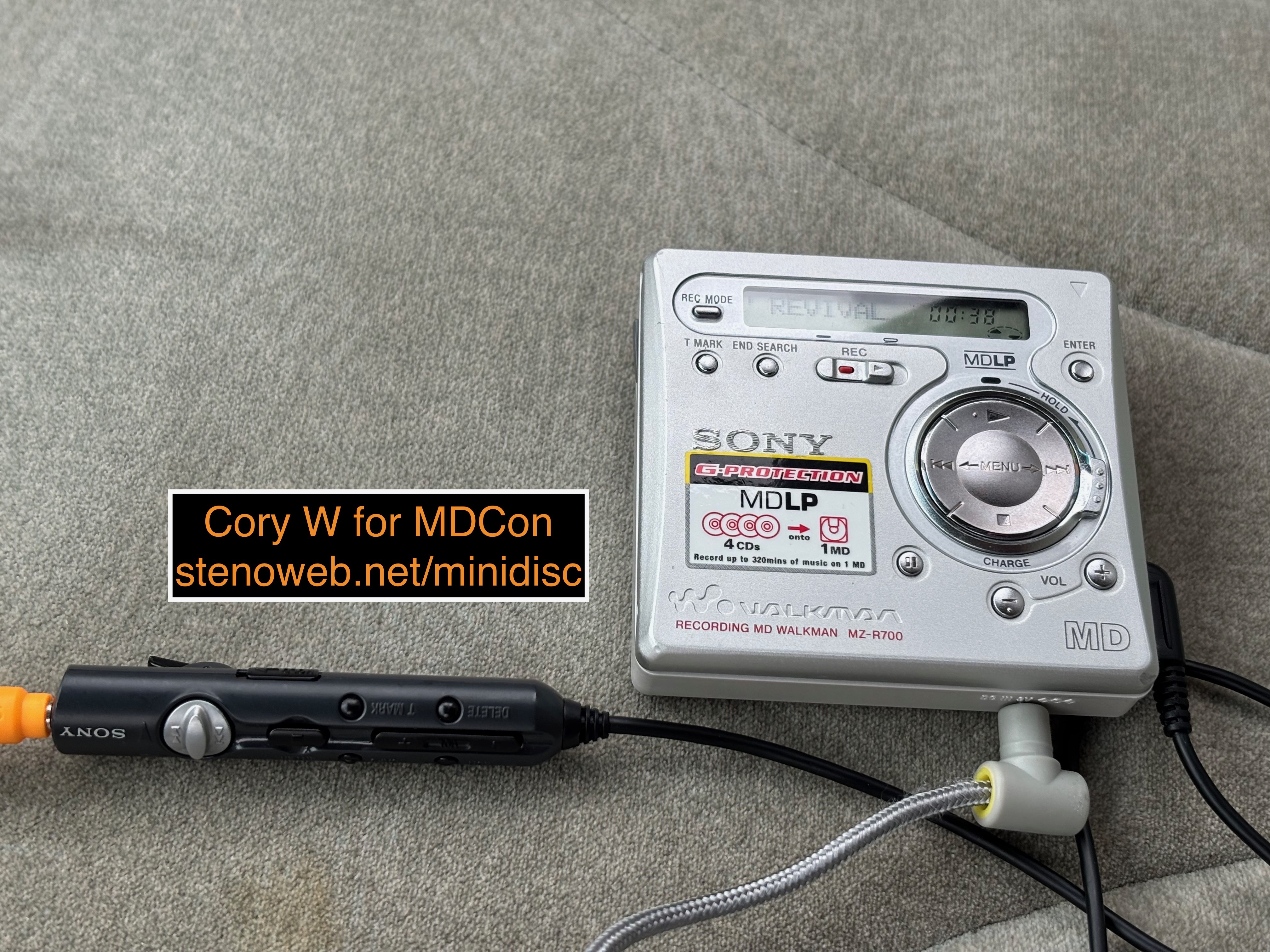
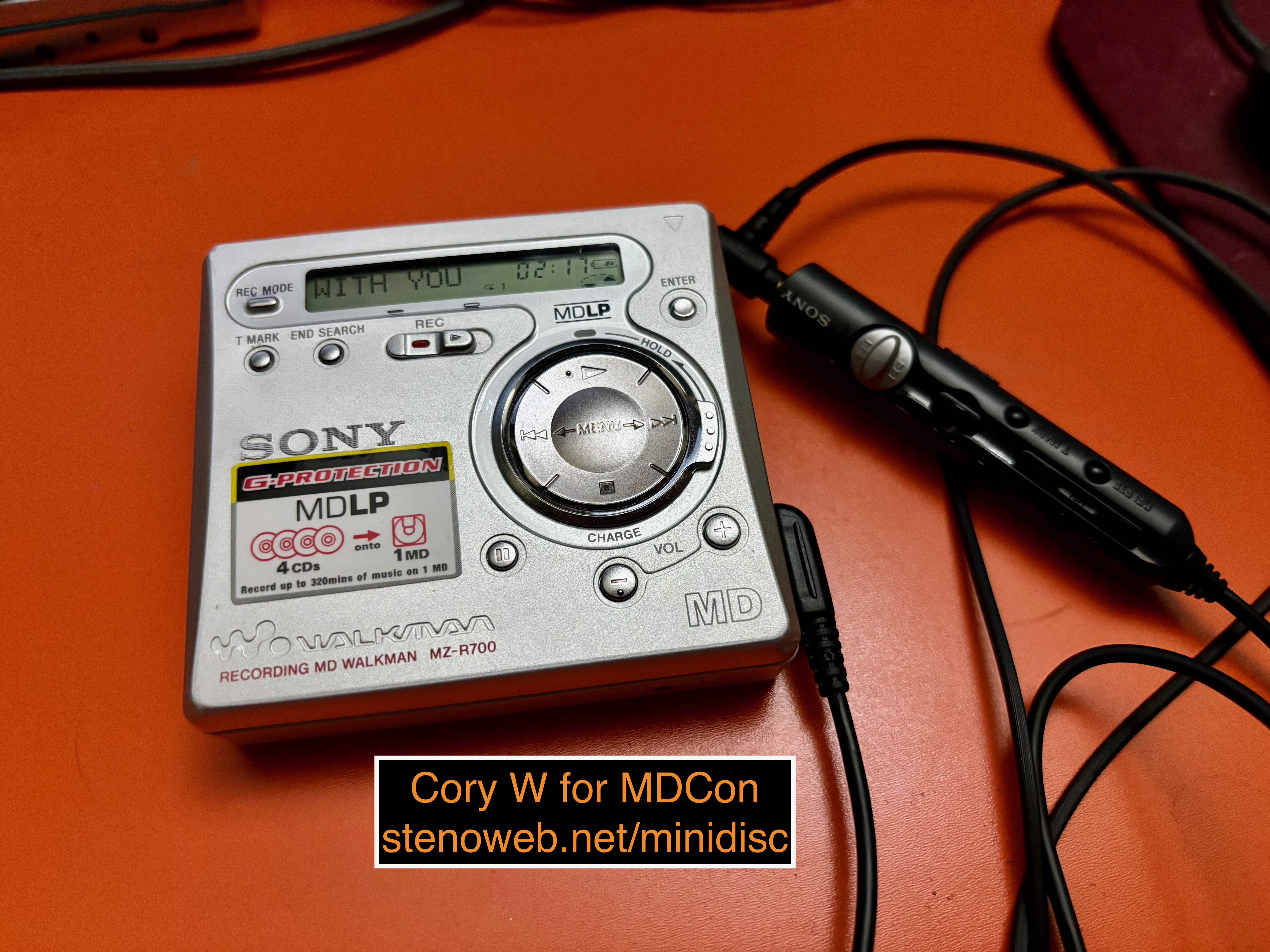
The Sony MZ-R700 is a portable minidisc recorder introduced in 2001 for markets outside of Japan. Check out the MiniDisc Wiki for some basic stats and other resources such as the user and service manuals, as well as Technical Initiative's video on repairing a moderately uncommon problem with an R700, and lid swap.
I equal parts have been very excited for this review and struggled for some time on how to structure it, because the R700 was my first MiniDisc machine and to this day remains among my personal favorites. I'm relatively equal-opportunity about MiniDisc. My general thought is the best MiniDisc machine is the one in your hand, and I tend to believe it's worth trying out different ways to use the format, including different ways to record discs, as there's often surprise utility you may not think about until you're in the act.
I also tend to believe most MiniDisc machine models have a story to tell, about it's manufacturer, the tech industry and the world at large, the music industry, and other music and audio tech. Revisiting the R700 and its story after having spent so much time with other machines has been good.
The R700 also has the bonus of being home to one of the biggest attractive nuisances.
Every Model has a Story (the R700 Exists in a Context)
At the launch of the R700, the MiniDisc format was in transition, primarily to better meet the needs of markets outside of Japan. The format had matured but was still growing new features and was being reframed in some markets compete against new technology. MP3 in particular.
People sometimes accuse Sony of having been late to the MP3 game, but, on the contrary, Sony appears to have realized it needed to have something in stores by the end of 1998. The initial answer was in the form of a MiniDisc recorder bundled with a USB sound card and some third party MP3 software, advertised as a way to record MP3s from the web onto portable media. Sony didn't say where the MP3s were from, but there were several legitimate MP3 stores online by 1998, and the convention of using a computer as an intermediary for format shifting was gaining acceptance.
Still in 1998, in response to calls to make the format more affordable Sony also started the process of diversifying the portable minidisc recorder product stack, introducing a new flagship with miniaturized electronics, and a new cost-reduced model slightly restyled from last year's model, but with a few new features along for the ride.
In 1999, Sony announced its first real fully computer-oriented "MP3" player, the Network Walkman NW-MS7, which used the new ATRAC3 codec and stored audio files on a removable Sony MemoryStick flash memory cards.
In 2000, Sony introduced the ATRAC3 codec to minidisc as a new feature, MDLP, framing it as a pair of long play modes to extend the total potential runtime of a minidisc to 2 or 4 times the disc's advertised length. They announced several machines in July and August for available in Japan in September. Among these is the MZ-R900.
In the early 2000s, it still took time to propagate new features across a product line, and to homologate those products globally, so the R700 launched in January 2001 and an even less expensive sibling the R500 joined in November 2001. (The MZ-N1 and NetMD would launch in Japan one month after this.)
I mentioned in my review of the Panasonic SJ-MR230 the Japanese market was a little slower computerizing music and moving to file-oriented music ecosystem, so while it's features were optimized toward CD recording with some implications toward MD to MD recording, the R700 was aimed a bit more toward portable only usage featuring fully onboard editing and competing with early MP3 players, in a moment where portable MP3 usage still often meant very severe compromises.
It's fun, reflecting on the MR230, how two machines with such similar feature-sets can have small details about them be so different, in service of the needs of their home markets.
The R700
The R700 is, as mentioned, a midrange portable MiniDisc recorder with MDLP. It can record from a CD digitally, from a microphone, or from any other digital or analog line-level source.
As a step-down from the generational leader, the MZ-R900:
- One of its halves is plastic
- No real-time-clock for timestamping recordings
- No line-level output mode
- Some other advanced recording and playback features are removed
- Included stick remote controller is swapped to a model with no screen, but with transport and editing controls
- The gumstick battery is swapped for an AA, in the same place, which makes the battery end of the machine thicker
- Jog dial controls are replaced with a simpler 4-way D-Pad
Looks like a lot, but in practice the R700 does a good job of having everything most people need and nothing most people don't. It's a very similar overall feature-set to the MZ-R70 the year before, or the Panasonic SJ-MR230 I reviewed a few weeks ago.
The R700 sits very well in hand and the controls work great for recording, editing, and playback. The onboard menu system is simple and easy to use, You can easily use it one-handed or in a pocket without looking. I listed the swap from the R900's dual jog dials to the D-Pad as a downgrade but the R700 is by far the easier machine to use, enough so the R900's own successor goes for a D-Pad as well.
The biggest changes from the R70 are the R700 loses the second headphone port and the dedicated menu navigation keys, moves the track marker button to the front panel (which makes it easier to use), and of course gains MDLP, which lets you use the newer codec at lower bit rates to record more audio onto a disc.
The R700 benefits significantly from the efficiency work Sony did on the R900 and MDLP in general, it should get you at least 40 hours of SP playback on any modern NiMH AA battery and like 8-10 hours of recording, if you'd like. It has a DC 3V input, which lets you bypass battery while recording and under playback if the machine loses power on the external DC port while playing, the playback stops which is useful for, say, if you're using the R700 as a car MD player. The R700 can charge NiCD and NiMH AAs but I recommend using a modern external charger, especially with the biggest modern batteries.
Our Modern Streaming World
I alluded to this in my review of the MZ-RH1. Interest in physical media is on the rise because people are growing tired of the shenanigans involved in paid streaming services. Some of this interest also centers on the explicit limits of physically oriented formats. Avoiding notifications and other distractions as well as having music not rely on network connectivity, or when a phone has run out of battery, are also oft-given reasons to consider physical media.
Originally framed as harm reduction from 2000s-era piracy, streaming has turned into a bit of a racket where streaming providers charge customers more, pay artists less, and provide customers with less, then break content contracts with artists and labels, causing stuff to disappear off streaming platforms all the time. Once you have something on a CD or a MiniDisc, on the other hand, it can't be withdrawn. And if you have a CD or purchased files, songs can be reused in new recorded copies and/or custom playlists at will.
I started streaming in 2011 after some strategic mistakes with my iTunes library and was streaming exclusively right up until I got my first MD machine. My MZ-R700 was, as mentioned, my first MD machine, and so thumbing through the manual it seemed like the easiest way to use it would be to record right off of streaming.
I did and it worked, very well. It kept working when I upgraded the line connection from an analog aux cord to a digital TOSLINK cable.
With very few exceptions: any sound a computer or phone can make, you can record onto MiniDisc digitally, and any sound your computer or phone can output to an analog port you can record, with no restrictions whatsoever.
I found this useful because I figure if I had been unable to put music I was currently interested in on disc, I would have given up trying to use the format.
I ended up falling in love with the vibe and process of recording live and do it often even for stuff I could put on MD faster using NetMD. I did eventually get a NetMD machine and I did burn The One U2 Album onto a disc, and use it to enter titles faster, but it came into its own for me later as I started buying more music as CDs and/or as files.
Recording this way is a bit of a weird situation legally. The phrasing on Audio Home Recording Act 1992 (USA) specifies a consumer right to a first-generation digital copy, but makes no distinction between rented and purchased content. The fairly obvious *intent* of AHRA92 is to protect this allowance for purchased content, but there isn't really any way in the technical enforcement (Serial Copy Management System or SCMS) to differentiate between rented/purchased content, and I'm sure the idea, in 1992, of rentable digital audio on computers would have seemed very silly.
Modern computers more or less don't ever bother to implement any of the features of SCMS, which means there's usually no way for a computer to prevent you from recording from it. (And if there were, analog would still be available.)
There are two exceptions to digital recording: The first is MiniDisc is limited to 24-bit, 48khz signals. If you have any audio at higher resolution or bit-depth, you must re-sample it on the source or use analog.
The second is some USB audio interfaces from some brands do set a status to disallow copying, regardless of the actual status of whatever is being played. Video hardware such as AVRs, TVs with digital outputs, and some network streamers may also lie in the same way.
Recording
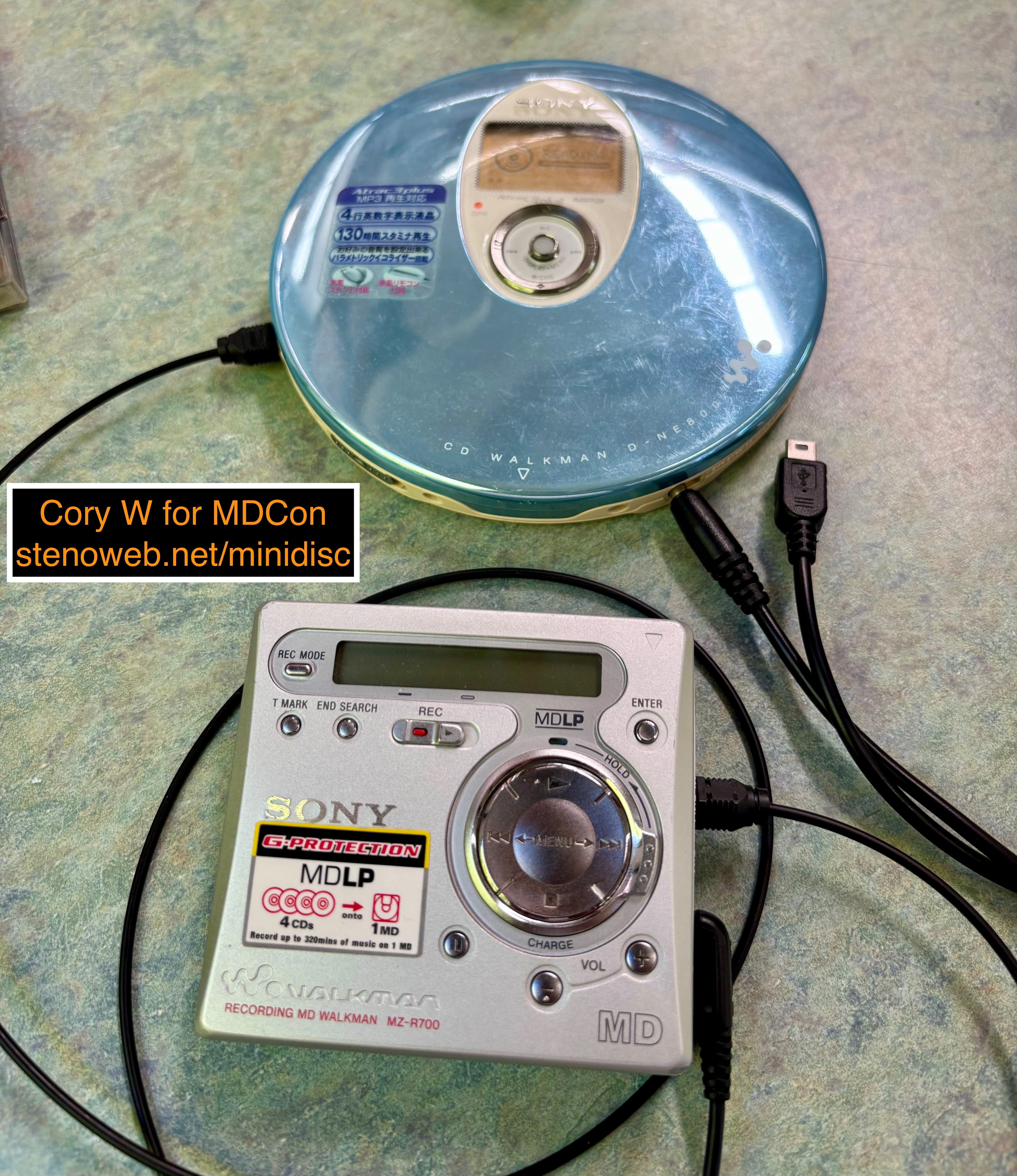
The R700 is great to have around for basically all types of recordings. It doesn't necessarily lead in everything, and it's a lossy compressed audio recorder from 2001. Some of the other options work better for specific contexts, but the R700 is great as an all-rounder.
In recording from CDs using a digital interface, you get gapless recordings with automatic track markers. In recording from any analog source, I never noticed the machine doing particularly egregious auto-leveling.
I suspect this was originally somewhat of an accident but the R700 also does great recording from computers. The MZ-R700DPC bundle includes MP3 software and a USB sound card set up to drop the signal for a moment between each track, which adds track markers automatically. Recording this way can net somewhat inconsistent results depending on the specific software, interface, and recorder involved, but if you find a setup where it works well, you can automate the most tedious part of recording.
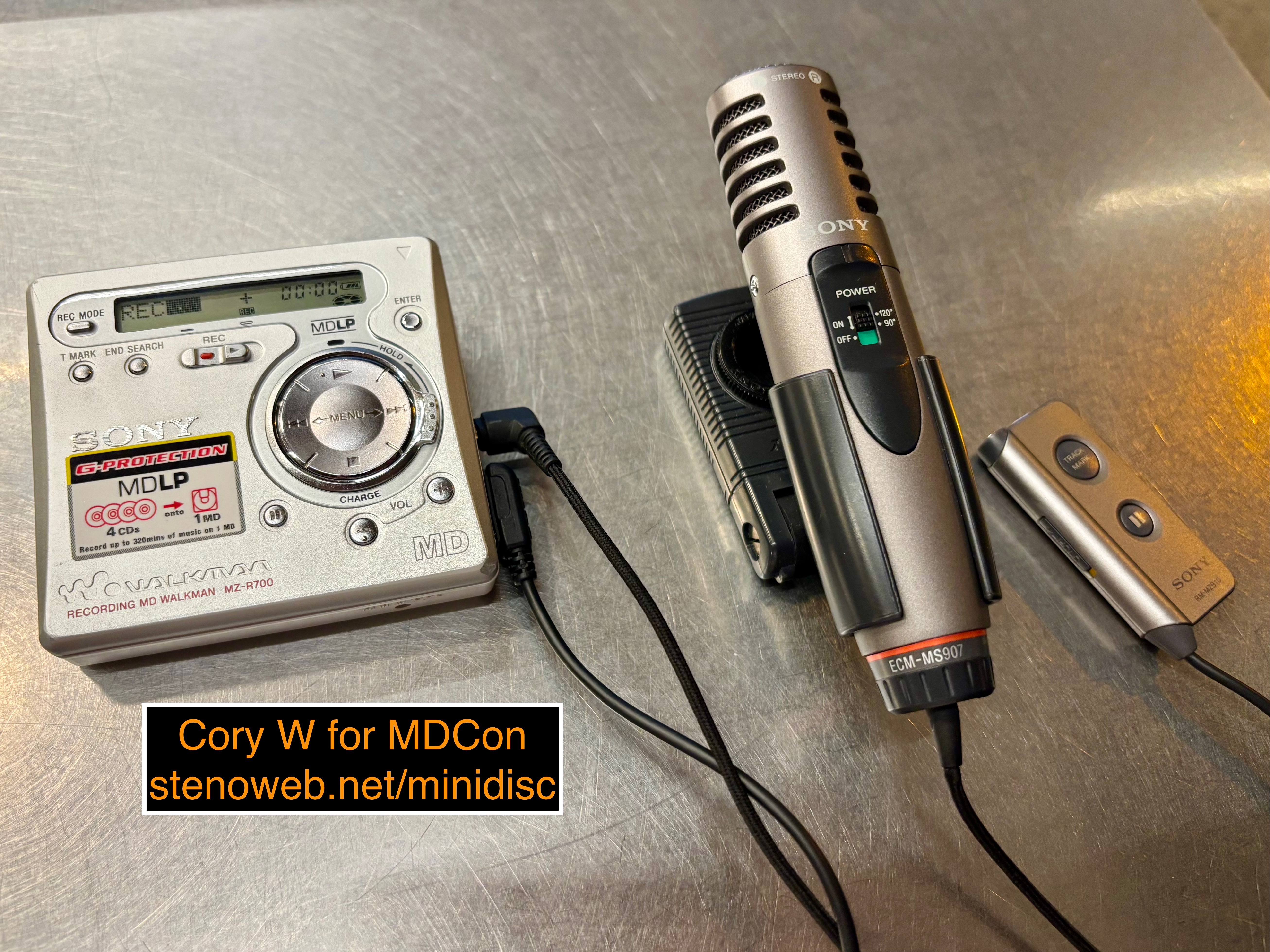
Recording a microphone is easy and works well. I went van camping for at least one night while writing this and connected my R700 to a Sony ECM-MS907. It rained pretty hard and I wanted to capture the ambient sound of the rain falling on the van. I fixed the microphone into position using one of the seat's headrests, turned it on, and then started recording with the R700. It captured automatically at a reasonable level and the result sounds good.
I've used the R700 for voice memos and dictations and it does reasonably there, as well.
Editing
The R700 supports all the basic MiniDisc editing functions, although some of them such as re-ordering tracks may be less commonly used today if we set up a playlist in our preferred running order up front.
The most common editing actions people are likely to do in the modern are to add track markers either during or after recording, or add track titles.
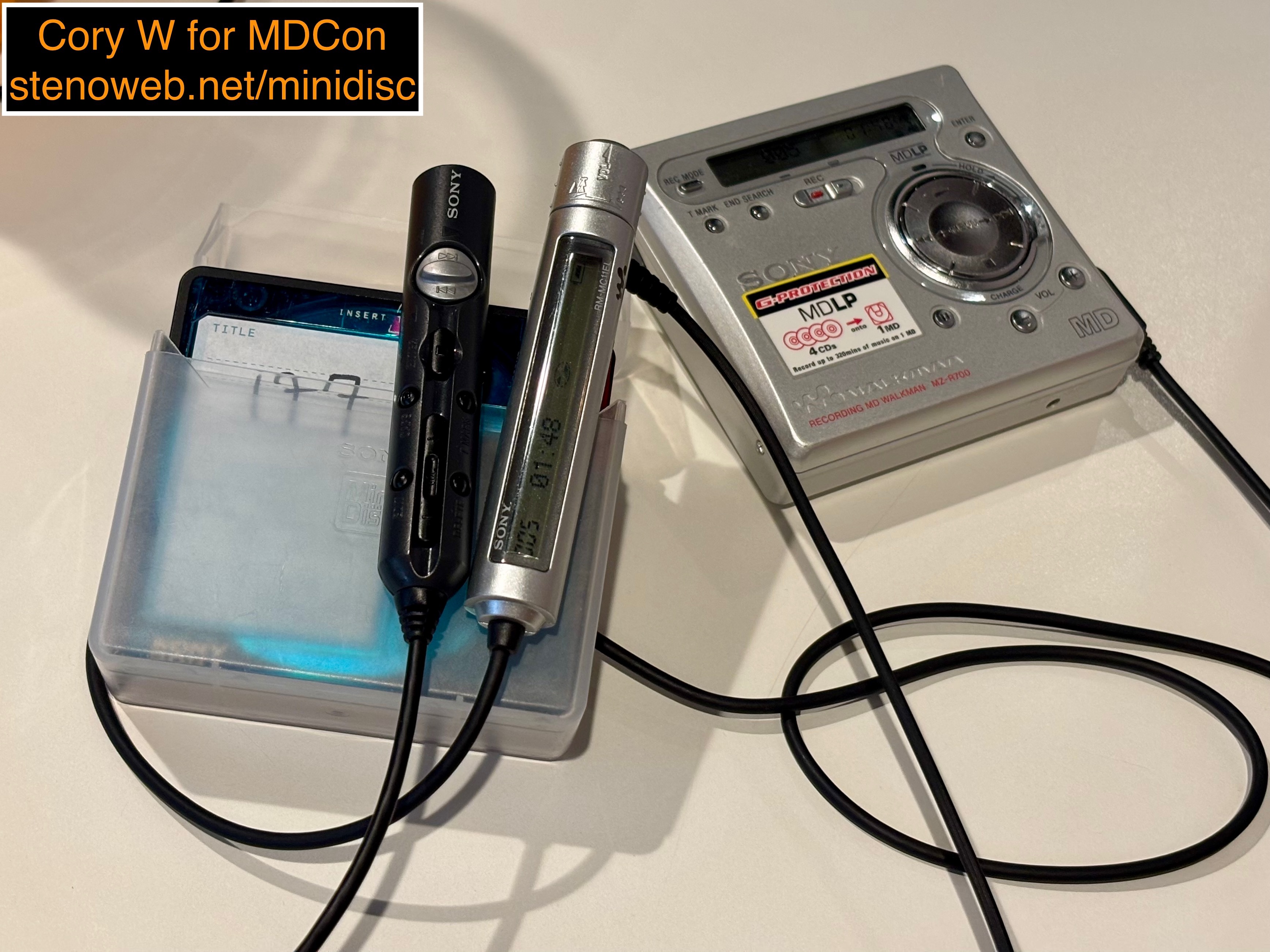
The R700 and its remote both have an easy access T.Mark button. If you're recording analog, you can hit it during recording, which I have always found to be the most accurate, just keep an eye on the source screen and count down to the end of the track. If you record digitally, sometimes the machine disallows by-hand markers during recording, but this varies per computer and interface. If so, you'll have to add them later, which can be slightly less consistent unless you do the editing while you still have the track order handy and you can count to the end of the track based on runtimes there. You can also pause and use FF/RW but these are somewhat imprecise.
Titling onboard and with the originally included RM-MZ4R remote is easy and relatively quick. You can enter titles while recording, but it's slightly easier to enter titles on playback. When you enter titling mode in layback, the machine swaps to looping through the current track until you finish, at which point it returns to normal play, I generally have no trouble entering "normal length" track titles within the runtime of a normal track. Although, on mixtapes, I only ever bother with song titles and not artists, at least when I'm titling from a portable. (When needed, I have other ways to easily enter titles.)
Playback
As ever, the R700 does great. The simplified controls mean you can do all the most important stuff on the R700 without looking, in a pocket or, say, while the unit is in a bag or if you were operating a vehicle.
As a midrange machine, it lacks some of the high end playback modes. Lots of these were for specialized purposes such as language learning or dictation, e.g. the R900 has an A-B repeat mode where you set arbitrary in and out points for looping, say, to repeat a phrase in a language you're learning, and it also includes speed control, which is useful for language learning and/or transcription, on the other end of those voice notes
The one thing I personally miss from some other machines is the ability to, while a track is playing, browse the track list and skip directly to a specific track. The R70's separate menu keys allowed this, and the R90's second jog dial allows it, but this feature is uncommon on player-only units and, say, the Panasonic SJ-MR230 also doesn't have it. If you stop or pause playback, you can navigate through a disc and skip to a track without hearing all the intermediary tracks, just not while the machine is playing. It's an extremely minor thing, for sure.
The Sound
I say this in every review I do, mostly because I have extremely average hearing. The R700's sound is Good Enough. If I found a machine where I could hear anything wrong or bad, I'd mention it, but in SP and LP2, the R700 sounds fine. The biggest way to impact how the R700 sounds is, unlike older MD machines, reliant on the recording and playback modes. ATRAC1/SP always sounds good, LP2 almost always sounds good, and whether or not LP4 sounds any good is almost always dependently highly on how it was recorded and what it is.
In my experience, there is no such thing as a MiniDisc machine cost-reduced enough to have an outright bad DAC/amp, so if you're not using audiophile-grade headphones, the sound on basically any MiniDisc machine should be Good Enough.
The Firmware Hacks
The R700 is at the center of one of the more academically interesting topics, but it's something I'm surprised gets so much discussion time as in practice, it's a bit of an attractive nuisance. It sounds good until you think about what's actually happening.
Because the R900, 700, 500, and several slightly newer portable MD recorders all use the same underlying chipset (albeit often different revisions) the code paths for all features are available in all machines, and so you can by adjusting a few settings in the service menu, enable features from the higher end R900 on the R500/700. (This persists a few more generations forward.)
Most of this is about higher end recording and playback features, but for this generation, one of the settings is to enable the use of the ATRAC1 vType-R codec, for SP audio.
Much of the discussion around this centers around the specific way Sony artificially segmented the product lineup in order to make more money. This isn't untrue but the more charitable and intentionally accurate reason is to make the tech available to more people by reducing the cost. The R500 isn't just an R900 with some features removed in firmware. It's got hardware physically removed and a less expensive overall build, e.g. all plastic, smaller screen, even further simplified controls.
Most of the rest of the discussion centers around Type-R, misinformation about why it might not have shipped and which machines can do the hack.
Popular lore holds the R500/700 shipped with a newer chipset revision (they did) physically shared with the R501/701 (the 501 is, but the 701 moves to a new CXD entirely) but were held back artificially so as not to cause problems for the sales of the R900. (Sony declining to literally ever market or advertise the format probably did more damage than the existence of the R700, even if Sony had launched the 700 with Type-R.) (Also for fun the R900 and R909 are on different sub-revisions of the same chipset.)
In reality, the R900 can, in fact do the Type-R hack. To the best I know, nobody has tested to this level of detail, but I have no reason to believe the R900's chipset doesn't get the same encoding result as, say, the R701 or even the N1/R910, or any of the set-top decks.
The potential real reason sort of up-in-the-air. There's a few competing theories and none stand out to me as being the obvious winner. My original theory was Sony didn't get to sufficiently test the battery life, and/or doing recording to the Type-R standard eats into battery recording runtime to make it worth avoiding. Nobody seems interested in running detailed recording-runtime tests on hacked units, unfortunately.
The more likely reason is Sony didn't think Type-R was very important in the portable recorder market. Customers both in and out of Japan who wanted Type-R were more likely to buy and use set-top decks or bookshelf stereos anyway. Outside of Japan, in service of the "compete with MP3 players" goal, Sony was trying to frame LP2 as the new default/standard mode on MiniDisc hardware, eventually going as far as to explicitly say SP support is provided for legacy reasons only.
Maybe even simpler and easier: Sony was almost out of compelling new features to add to portable recorders and the stylish red Type-R logo makes a great mid-cycle refresh in the form of the MZ-R909.
Anyway: Should you do any of the firmware hacks? I recommend against it, three primary reasons:
- Entering service mode and changing values stored in EEPROM is dangerous and you can, if you adjust the wrong thing and don't meticulously and correctly document your back-out path, permanently brick the machine
- The most compelling features don't work or work incompletely or incorrectly because they rely on physical hardware the R900 has but the R700 does not
- If you genuinely need or want either some of those advanced featured or Type-R, you can just buy a machine with them
I'm sure these hacks looked compelling in like 2006 when less was understood about how they do/don't work and an R900/909/N1 would still have been a decent spend in the used market. It's sort of amazing they're still talked about so often today. The children must yearn for Program Play, a feature I've never seen a single post actively seeking in literally any format, made especially redundant in MiniDisc because you can record the disc how you want it up front or edit the play order after recording.
Conclusion
If you can find a good deal on an R700, it's a great allrounder of a portable minidisc machine. It does more or less everything you need and not much you don't. They do great recording from microphones, CDs, or computers. They work great for playback. They work great with cheap universal power supplies as well as alkaline or NiMH rechargeable AAs you can buy almost anywhere.
If you're looking for a first, I would genuinely say consider the R700. Especially as they are sometimes available for a bit less than what a NetMD machine costs, and/or if you're coming to MiniDisc from a mixed music ecosystem where the ability to record from different sources is a legitimate benefit.
If you're already using MiniDisc and you're looking to add some more functionality, the R700 is great, but if you already have some of its functionality and you want the advanced version, it may make more sense to skip upward to a higher end model, depending on your ultimate goals. There's no wrong way to use the format or do the hobby.